Web UI
kontinue provides a web interface for querying and managing executions:
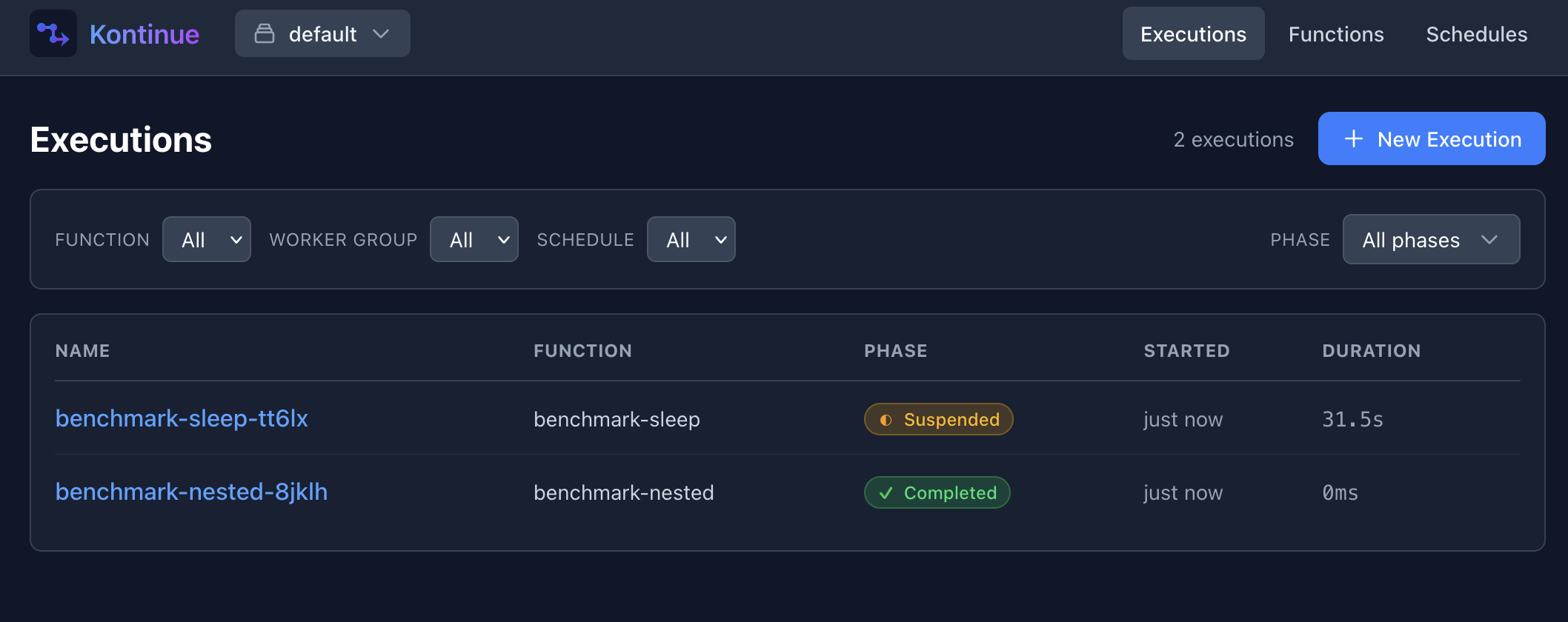
The web interface is bundled as part of the kontinue server command. It runs as an HTTP
shim to the kontinue client library with a React-based frontend.
Features
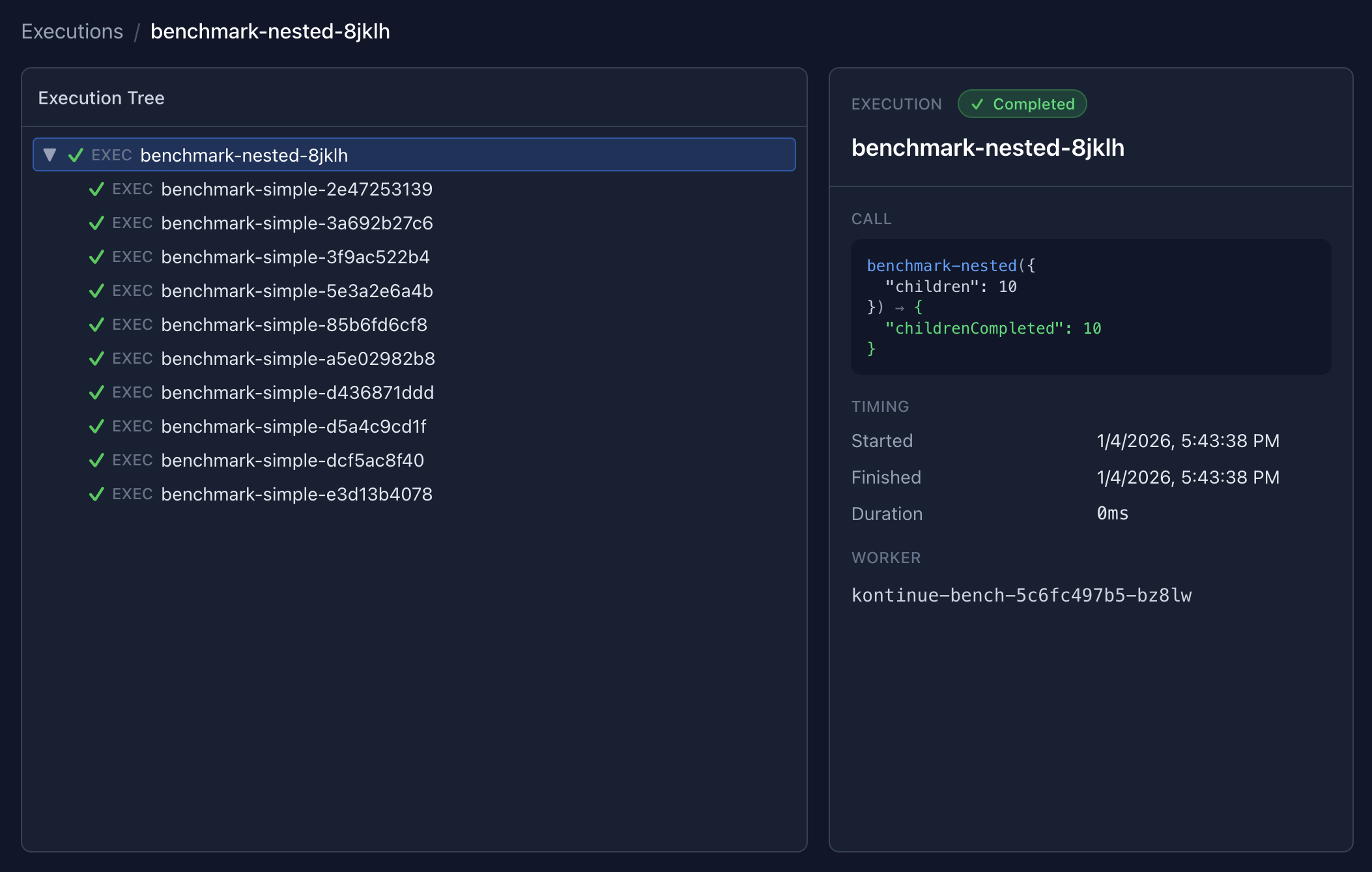
The UI primarily provides management of Execution resources — querying them on the main page, and
then providing a tree-like view of Executions and child resources (such as Suspensions or Jobs):
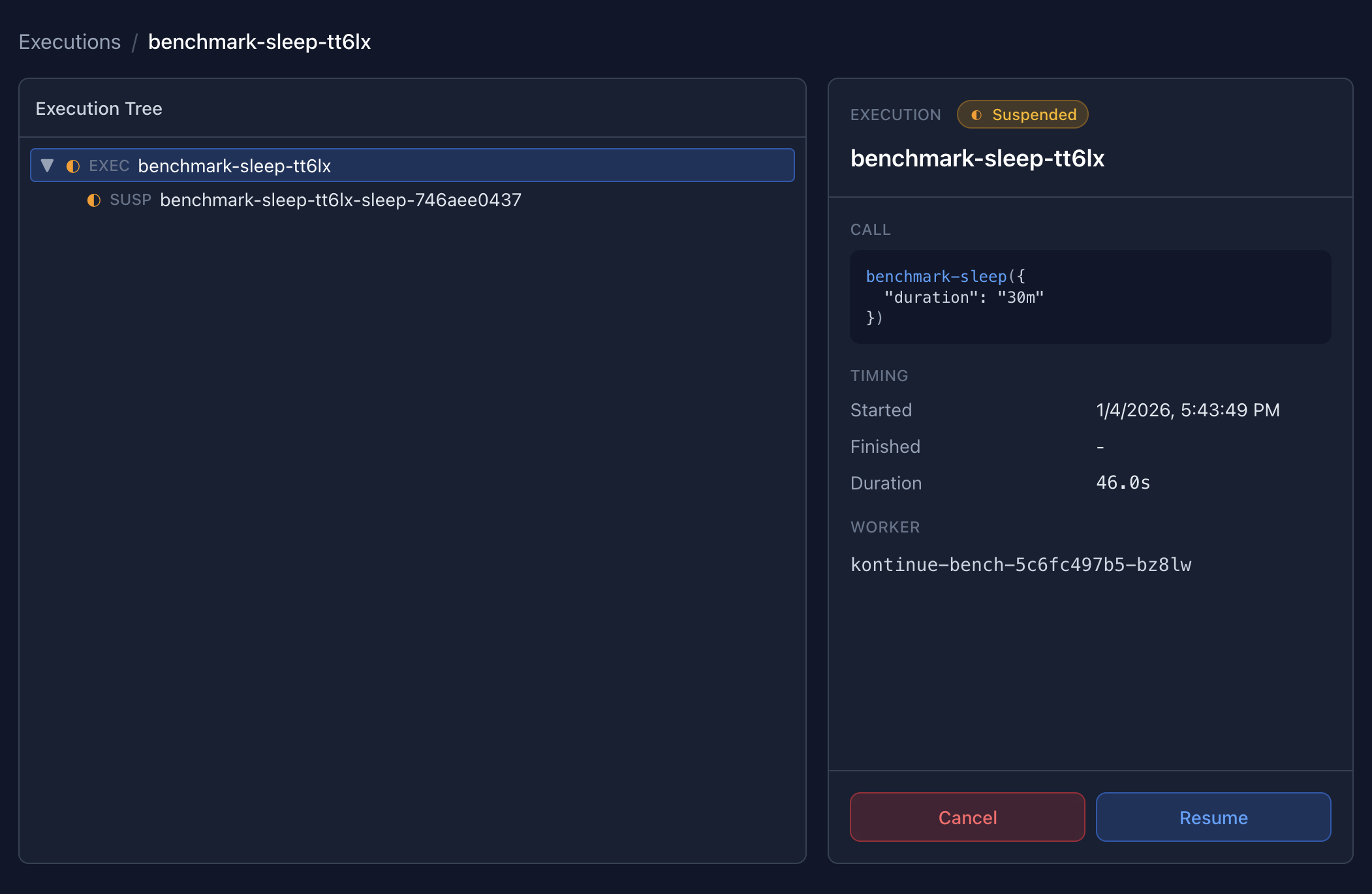
Executions can be managed inline for simple operations such as cancelling or retrying.
Installation
The web interface can be installed as an optional add-on to the kontinue Helm chart (see installation):
helm upgrade --install kontinue kontinue/kontinue --namespace kontinue
    --set server.enabled=true
This will create a new kontinue-server Deployment and a Kubernetes Service which routes to the server.
Authorization
The kontinue server supports three authorization modes, controlled by the --auth-mode flag (or server.auth.mode in the Helm chart).
Read-Only Mode (default)
kontinue server --auth-mode=readonlyIn read-only mode, all GET requests are allowed and all mutation requests (POST) are blocked with a 403 Forbidden response. The UI automatically hides write action buttons (New Execution, Cancel, Retry, Skip, Resume, Resubmit, and schedule Suspend/Resume) when the server is in this mode.
This is the default mode and is suitable for dashboards where users should be able to observe executions but not modify them.
Read-Write Mode
kontinue server --auth-mode=readwriteRead-write mode allows all requests with no authorization checks. This is the most permissive mode and provides full access to all kontinue resources in every namespace. It is meant to be used only by cluster administrators or in development environments.
Header Mode (RBAC)
kontinue server --auth-mode=header \
  --auth-config=policy.csv \
  --auth-user-header=X-Auth-User \
  --auth-group-header=X-Auth-Groups
Header mode provides namespace-level RBAC using Casbin policies. It is designed to work with a reverse proxy (such as OAuth2 Proxy, Authelia, or Pomerium) that authenticates users and forwards identity information via HTTP headers.
In this mode, the server reads two headers from each request:
| Header | Default | Description |
|---|---|---|
X-Auth-User | Configurable via --auth-user-header | The authenticated username |
X-Auth-Groups | Configurable via --auth-group-header | Comma-separated list of groups the user belongs to |
If the user header is missing, the server returns 401 Unauthorized. If the user does not have permission for the requested action and namespace, it returns 403 Forbidden.
Policy File
The policy file is a CSV file that defines access rules. There are two types of rules:
Policy rules (p) grant a subject access to namespaces for an action:
p, scott, default, read
p, scott, default, write
p, group:platform, *, read
p, group:platform, *, write
p, group:developers, dev-*, read
p, group:developers, dev-*, write
p, group:developers, *-staging, read
Group rules (g) assign users to groups:
g, scott, group:platform
g, alice, group:developers
Subjects are either a username (checked directly) or a group prefixed with group:. When the server checks access, it evaluates the user directly and then each of their groups from the header (automatically prefixed with group:).
The obj field (second column in policy rules) matches namespace names using glob patterns:
| Pattern | Matches |
|---|---|
* | All namespaces |
dev-* | Namespaces starting with dev- |
*-staging | Namespaces ending with -staging |
production | Only the production namespace |
Actions are read (for GET requests) and write (for POST requests).
Full Policy Example
# Platform team: full access everywhere
p, group:platform, *, read
p, group:platform, *, write

# Developers: read/write to dev and staging, read-only to production
p, group:developers, dev-*, read
p, group:developers, dev-*, write
p, group:developers, *-staging, read
p, group:developers, *-staging, write
p, group:developers, production, read

# On-call engineer: full access everywhere (individual override)
p, alice, *, read
p, alice, *, write

# Group assignments (optional, usually groups come from the proxy header)
g, bob, group:platform
Helm Chart Configuration
All auth settings are available in the Helm chart under server.auth:
server:
  enabled: true
  auth:
    # readonly (default), readwrite, or header
    mode: readonly
    # Header names (only used in header mode)
    userHeader: X-Auth-User
    groupHeader: X-Auth-Groups
    # Casbin policy CSV (only used in header mode)
    policy: |
      p, group:platform, *, read
      p, group:platform, *, write
      p, group:developers, dev-*, read
      p, group:developers, dev-*, write
When mode is set to header, the chart automatically creates a ConfigMap containing the policy and mounts it into the server container.
Production Setup with a Reverse Proxy
For production deployments, header mode should be used behind a reverse proxy that handles authentication (OAuth2, OIDC, SAML, etc.) and forwards user identity via headers. The kontinue server itself does not perform authentication — it trusts the headers set by the proxy.
A typical setup looks like:
User → Reverse Proxy (OAuth2/SSO) → kontinue server (--auth-mode=header)The reverse proxy authenticates the user against your identity provider and sets the X-Auth-User and X-Auth-Groups headers before forwarding the request to the kontinue server.
Common reverse proxies that work with this pattern:
- OAuth2 Proxy — Sets
X-Auth-Request-UserandX-Auth-Request-Groupsheaders (configure--auth-user-headerand--auth-group-headerto match) - Authelia — Sets
Remote-UserandRemote-Groupsheaders - Pomerium — Sets
X-Pomerium-Claim-EmailandX-Pomerium-Claim-Groupsheaders - Nginx with auth subrequests — Can be configured to forward any headers from an upstream auth service
Since header names are configurable, you can adapt to whichever proxy you use without additional translation layers. For example, with OAuth2 Proxy:
server:
  auth:
    mode: header
    userHeader: X-Auth-Request-User
    groupHeader: X-Auth-Request-Groups
    policy: |
      p, group:admins, *, read
      p, group:admins, *, write
Important: When using header mode, ensure that end users cannot bypass the reverse proxy and reach the kontinue server directly. The server unconditionally trusts the configured headers. If users can send requests directly, they can impersonate any user by setting the headers themselves. Use Kubernetes NetworkPolicies or service mesh rules to restrict access to the server to only the reverse proxy.